Your home deserves more than a yard sign and a phone app. The right security company should reduce risk, respond fast under pressure, and be transparent about costs. Here’s how to evaluate providers like a pro—so you get strong protection without overpaying or locking yourself into a bad contract.
Start with the right foundation: credentials, coverage, and accountability
Before looking at gadgets or prices, confirm the company can actually protect you when something goes wrong. Paperwork and proof matter more than flashy features.
- Licensing and insurance: Verify state licenses for alarm contractors and installers. Ask for proof of general liability and workers’ compensation. No license, no deal.
- Monitoring center quality: Look for UL 827–listed and TMA Five Diamond–certified monitoring centers. This signals tested infrastructure, trained operators, and redundancy.
- Background checks for technicians: Confirm employees (not just contractors) pass criminal and drug screenings. Ask how often checks are renewed.
- Local response coordination: Providers should have clear procedures for dispatching police, fire, or guard response, and know your city’s alarm permit and false alarm rules.
- Insurance discounts and compliance: Some insurers require monitored smoke detectors or certain certifications for premium credits. Make sure the company can document compliance.
These checks filter out weak providers early, so you spend time only on companies that can deliver when it matters.
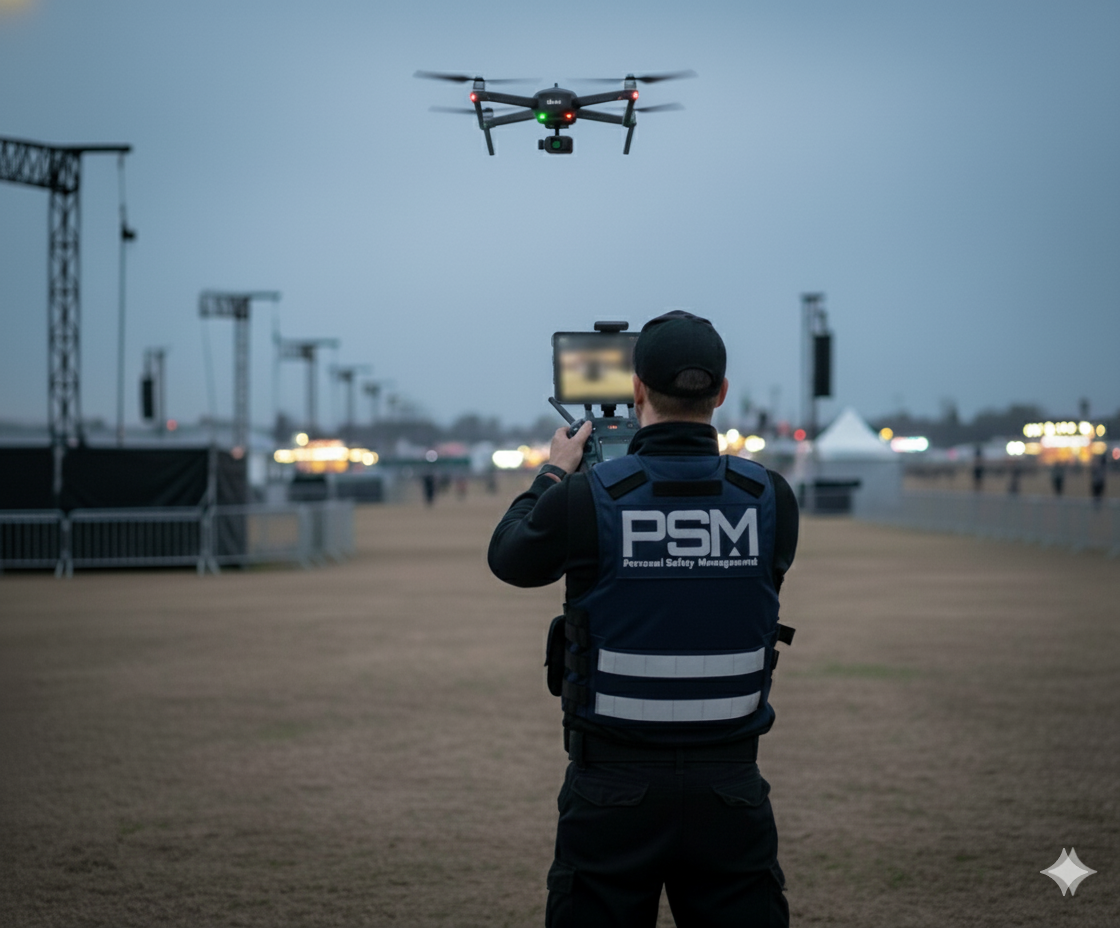
If you are looking for reliable protection, PSM UAE offers top-tier safety solutions for businesses.
Technology that actually reduces risk (not just adds notifications)
Good security blends physical hardware, smart software, and service. Focus on reliability, not gimmicks.
Essential features to insist on
- Professional monitoring with redundancy: 24/7 monitoring backed by dual power, dual internet, and failover to a secondary center.
- Cellular backup and battery support: If your internet or power drops, your system should still signal alarms for at least 24 hours.
- Secure app and data practices: Two-factor authentication, encrypted video streams, and clear data retention policies. Ask who can access your footage and for how long.
- Smart home integration that’s stable: Works reliably with platforms like Google Home, Apple Home, or Alexa—without breaking every time there’s an update.
- Professional-grade sensors and cameras: Look for wide dynamic range (WDR) cameras, pet-immune motion sensors, and door/window contacts with tamper detection.
Strong fundamentals reduce false alarms and make your system usable day to day—so you don’t end up disabling it out of frustration.
DIY vs. professional install: which fits your home?
Choose installation style based on home layout, risk tolerance, and time.
- DIY systems: Lower upfront cost, quick setup, flexible for renters. Best for condos or smaller homes with simple layouts.
- Hybrid setups: Pro consult and design, you install simple devices, tech handles tricky runs and camera placement. Good balance of cost and quality.
- Full professional install: Clean wiring, optimal coverage, and tuned motion/camera settings. Best for multi-story homes, large lots, or homes with prior incidents.
If you’ve had break-ins, have valuables, or need fire/carbon monoxide integration, professional design and install usually pays for itself in fewer blind spots and fewer hassles.
Cost, contracts, and the stuff that bites later
Pricing can be slippery. Push for transparency so there are no surprises.
- Total cost of ownership: Add hardware, activation, monthly monitoring, cloud storage, guard dispatch fees, and service visits over 3–5 years.
- Contract length and exit terms: Month-to-month is flexible; 36–60 months locks you in. If long-term, insist on a clear cancellation policy for moving, poor service, or repeated app outages.
- Ownership vs. leasing: Leasing lowers upfront cost but may cost more overall. If you own the gear, you can switch monitoring providers later.
- Warranty and service levels: Ask about on-site repair timeframes, loaner cameras, and battery replacement schedules. Get it in writing.
- False alarm fees and verification: Confirm enhanced call verification (two-call rule) and options like video or audio verification to reduce fines and speed up police response.
Transparent companies will walk you through a sample bill, show the contract, and explain real scenarios that could trigger extra fees. If they dodge details, treat that as a red flag.
How to evaluate a security company step by step
Use this simple flow to compare providers and avoid bias from fancy demos.
- Define your risks: Break-ins via side gate? Packages stolen? Detached garage? Write them down so solutions match threats.
- Request a site survey: A good company will map entry points, lighting, camera views, and Wi‑Fi signal strength, then give a diagram.
- Demand a written design: Device list by location, detection ranges, storage plans, and monitoring path (primary/backup).
- Get three comparable quotes: Same device counts and monitoring level. Apples-to-apples stops upselling games.
- Test the app and portal: In-store or via trial. Check notification speed, video loading time, and event history clarity.
- Check reviews the smart way: Look for patterns over time on reliability and support response; read 3-star reviews for balanced pros/cons.
- Call references: Ask neighbors or local community groups; request at least two customers with similar homes.
- Confirm permits and handoff: They should handle alarm permits, set up zones, label devices, and train you on arming modes.
This process filters hype from real performance and makes your choice evidence-based, not emotional.
Real scenarios: what good and bad choices look like
Scenario A: You accept a rock-bottom promo with a 60-month term. The app lags, cameras miss motion at night, and support takes 4 days to respond. You keep paying because cancellation fees are huge. Outcome: daily annoyance, weak deterrence, money burned.
Scenario B: You choose a licensed provider with UL-listed monitoring, cellular backup, and video verification. A 3 am backyard alert shows a trespasser; monitoring verifies video and dispatches police. You get a clear recording and fast response. Outcome: risk reduced, evidence captured, system you trust.
Common mistakes that weaken home security
These pitfalls are easy to avoid once you know them.
- Buying cameras before design: Cameras without lighting or proper mounting equal blurry faces and missed plates. Plan first.
- Ignoring upload speed: 4K cameras on a slow uplink cause delayed clips. You might need to prioritize 1080p with better positioning.
- Skipping cellular backup: Cut cable = no alarm signal. Always include cellular backup on the main panel.
- One-size-fits-all motion settings: Pets and HVAC drafts cause false alarms if sensors aren’t tuned. Have the tech adjust sensitivity and masking.
- Weak passwords and no 2FA: You secure doors but leave the app wide open. Enable two-factor authentication for every user.
- Forgetting maintenance: Dead batteries, dirty camera lenses, and outdated firmware quietly kill reliability. Put it on a calendar.
Fixing these points usually costs less than replacing gear—and it boosts real security more than a new gadget does.
Privacy and data security: protect your footage and your family
Home security now includes cybersecurity. Treat your cameras like mini computers pointing at your life.
- Data retention control: Choose how long clips are stored and who can share them. Avoid providers that reuse your footage for training without consent.
- Local vs. cloud: Local storage gives control but needs backups and theft protection; cloud is convenient but check encryption and region of storage.
- Network hygiene: Put cameras on a guest or IoT VLAN, use strong Wi‑Fi encryption, and update firmware automatically.
- User management: Create separate logins for family, cleaners, or sitters; remove access immediately when it’s no longer needed.
Good companies will explain their security architecture plainly and provide a written privacy policy that answers who, what, where, and how long.
Questions to ask before you sign
Bring this list to each consultation. Clear answers now prevent headaches later.
- Are you licensed and insured in my state? Can I see proof?
- Which monitoring center do you use? Is it UL 827–listed and TMA Five Diamond–certified?
- What’s the guaranteed signal path if my power and internet go out?
- What’s the average alarm response workflow and typical call-to-dispatch time?
- How do you reduce false alarms? Do you offer video or audio verification?
- Who owns the equipment? What are the contract length, renewal, and cancellation terms?
- What’s covered under warranty, and what’s the on-site service response time?
- How does your app secure logins and video? Do you support two-factor authentication?
- How long is data stored, and can I opt out of sharing?
- Can you provide a written design with device locations and detection ranges?
Take notes during each meeting and compare answers side by side. Clear, confident responses signal a trustworthy partner.
Wrap-up: quick checklist to pick a reliable security company
Use this short list as a final pass before you choose.
- Verified: Licensing, insurance, background checks, UL/TMA monitoring.
- Resilient: Cellular backup, battery support, redundant monitoring center.
- Clear costs: Transparent pricing, fair exit terms, written warranty.
- Right design: Coverage map, tuned sensors, lighting considered.
- Secure app: 2FA, encryption, sane data retention, user controls.
- Proven support: Real references, responsive service, documented SLAs.
Pick the provider that proves reliability with documentation, shows you a thoughtful design, and earns your trust with straight answers. That’s the company you want watching your home at 3 am.
How to Choose a Reliable Security Company for Your Home: A Practical Guide from a Security Pro
Your home deserves more than a yard sign and a phone app. The right security company should reduce risk, respond fast under pressure, and be transparent about costs. Here’s how to evaluate providers like a pro—so you get strong protection without overpaying or locking yourself into a bad contract.
Start with the right foundation: credentials, coverage, and accountability
Before looking at gadgets or prices, confirm the company can actually protect you when something goes wrong. Paperwork and proof matter more than flashy features.
- Licensing and insurance: Verify state licenses for alarm contractors and installers. Ask for proof of general liability and workers’ compensation. No license, no deal.
- Monitoring center quality: Look for UL 827–listed and TMA Five Diamond–certified monitoring centers. This signals tested infrastructure, trained operators, and redundancy.
- Background checks for technicians: Confirm employees (not just contractors) pass criminal and drug screenings. Ask how often checks are renewed.
- Local response coordination: Providers should have clear procedures for dispatching police, fire, or guard response, and know your city’s alarm permit and false alarm rules.
- Insurance discounts and compliance: Some insurers require monitored smoke detectors or certain certifications for premium credits. Make sure the company can document compliance.
These checks filter out weak providers early, so you spend time only on companies that can deliver when it matters.
Technology that actually reduces risk (not just adds notifications)
Good security blends physical hardware, smart software, and service. Focus on reliability, not gimmicks.
Essential features to insist on
- Professional monitoring with redundancy: 24/7 monitoring backed by dual power, dual internet, and failover to a secondary center.
- Cellular backup and battery support: If your internet or power drops, your system should still signal alarms for at least 24 hours.
- Secure app and data practices: Two-factor authentication, encrypted video streams, and clear data retention policies. Ask who can access your footage and for how long.
- Smart home integration that’s stable: Works reliably with platforms like Google Home, Apple Home, or Alexa—without breaking every time there’s an update.
- Professional-grade sensors and cameras: Look for wide dynamic range (WDR) cameras, pet-immune motion sensors, and door/window contacts with tamper detection.
Strong fundamentals reduce false alarms and make your system usable day to day—so you don’t end up disabling it out of frustration.
DIY vs. professional install: which fits your home?
Choose installation style based on home layout, risk tolerance, and time.
- DIY systems: Lower upfront cost, quick setup, flexible for renters. Best for condos or smaller homes with simple layouts.
- Hybrid setups: Pro consult and design, you install simple devices, tech handles tricky runs and camera placement. Good balance of cost and quality.
- Full professional install: Clean wiring, optimal coverage, and tuned motion/camera settings. Best for multi-story homes, large lots, or homes with prior incidents.
If you’ve had break-ins, have valuables, or need fire/carbon monoxide integration, professional design and install usually pays for itself in fewer blind spots and fewer hassles.
Cost, contracts, and the stuff that bites later
Pricing can be slippery. Push for transparency so there are no surprises.
- Total cost of ownership: Add hardware, activation, monthly monitoring, cloud storage, guard dispatch fees, and service visits over 3–5 years.
- Contract length and exit terms: Month-to-month is flexible; 36–60 months locks you in. If long-term, insist on a clear cancellation policy for moving, poor service, or repeated app outages.
- Ownership vs. leasing: Leasing lowers upfront cost but may cost more overall. If you own the gear, you can switch monitoring providers later.
- Warranty and service levels: Ask about on-site repair timeframes, loaner cameras, and battery replacement schedules. Get it in writing.
- False alarm fees and verification: Confirm enhanced call verification (two-call rule) and options like video or audio verification to reduce fines and speed up police response.
Transparent companies will walk you through a sample bill, show the contract, and explain real scenarios that could trigger extra fees. If they dodge details, treat that as a red flag.
How to evaluate a security company step by step
Use this simple flow to compare providers and avoid bias from fancy demos.
- Define your risks: Break-ins via side gate? Packages stolen? Detached garage? Write them down so solutions match threats.
- Request a site survey: A good company will map entry points, lighting, camera views, and Wi‑Fi signal strength, then give a diagram.
- Demand a written design: Device list by location, detection ranges, storage plans, and monitoring path (primary/backup).
- Get three comparable quotes: Same device counts and monitoring level. Apples-to-apples stops upselling games.
- Test the app and portal: In-store or via trial. Check notification speed, video loading time, and event history clarity.
- Check reviews the smart way: Look for patterns over time on reliability and support response; read 3-star reviews for balanced pros/cons.
- Call references: Ask neighbors or local community groups; request at least two customers with similar homes.
- Confirm permits and handoff: They should handle alarm permits, set up zones, label devices, and train you on arming modes.
This process filters hype from real performance and makes your choice evidence-based, not emotional.
Real scenarios: what good and bad choices look like
Scenario A: You accept a rock-bottom promo with a 60-month term. The app lags, cameras miss motion at night, and support takes 4 days to respond. You keep paying because cancellation fees are huge. Outcome: daily annoyance, weak deterrence, money burned.
Scenario B: You choose a licensed provider with UL-listed monitoring, cellular backup, and video verification. A 3 am backyard alert shows a trespasser; monitoring verifies video and dispatches police. You get a clear recording and fast response. Outcome: risk reduced, evidence captured, system you trust.
Common mistakes that weaken home security
These pitfalls are easy to avoid once you know them.
- Buying cameras before design: Cameras without lighting or proper mounting equal blurry faces and missed plates. Plan first.
- Ignoring upload speed: 4K cameras on a slow uplink cause delayed clips. You might need to prioritize 1080p with better positioning.
- Skipping cellular backup: Cut cable = no alarm signal. Always include cellular backup on the main panel.
- One-size-fits-all motion settings: Pets and HVAC drafts cause false alarms if sensors aren’t tuned. Have the tech adjust sensitivity and masking.
- Weak passwords and no 2FA: You secure doors but leave the app wide open. Enable two-factor authentication for every user.
- Forgetting maintenance: Dead batteries, dirty camera lenses, and outdated firmware quietly kill reliability. Put it on a calendar.
Fixing these points usually costs less than replacing gear—and it boosts real security more than a new gadget does.
Privacy and data security: protect your footage and your family
Home security now includes cybersecurity. Treat your cameras like mini computers pointing at your life.
- Data retention control: Choose how long clips are stored and who can share them. Avoid providers that reuse your footage for training without consent.
- Local vs. cloud: Local storage gives control but needs backups and theft protection; cloud is convenient but check encryption and region of storage.
- Network hygiene: Put cameras on a guest or IoT VLAN, use strong Wi‑Fi encryption, and update firmware automatically.
- User management: Create separate logins for family, cleaners, or sitters; remove access immediately when it’s no longer needed.
Good companies will explain their security architecture plainly and provide a written privacy policy that answers who, what, where, and how long.
Questions to ask before you sign
Bring this list to each consultation. Clear answers now prevent headaches later.
- Are you licensed and insured in my state? Can I see proof?
- Which monitoring center do you use? Is it UL 827–listed and TMA Five Diamond–certified?
- What’s the guaranteed signal path if my power and internet go out?
- What’s the average alarm response workflow and typical call-to-dispatch time?
- How do you reduce false alarms? Do you offer video or audio verification?
- Who owns the equipment? What are the contract length, renewal, and cancellation terms?
- What’s covered under warranty, and what’s the on-site service response time?
- How does your app secure logins and video? Do you support two-factor authentication?
- How long is data stored, and can I opt out of sharing?
- Can you provide a written design with device locations and detection ranges?
Take notes during each meeting and compare answers side by side. Clear, confident responses signal a trustworthy partner.
Wrap-up: quick checklist to pick a reliable security company
Use this short list as a final pass before you choose.
- Verified: Licensing, insurance, background checks, UL/TMA monitoring.
- Resilient: Cellular backup, battery support, redundant monitoring center.
- Clear costs: Transparent pricing, fair exit terms, written warranty.
- Right design: Coverage map, tuned sensors, lighting considered.
- Secure app: 2FA, encryption, sane data retention, user controls.
- Proven support: Real references, responsive service, documented SLAs.
Pick the provider that proves reliability with documentation, shows you a thoughtful design, and earns your trust with straight answers. That’s the company you want watching your home at 3 am.
 English
 Arabic
 French
 Spanish
 Portuguese
 Deutsch
 Turkish
 Dutch
Dutch
 Italiano
 Russian
 Romaian
 Portuguese (Brazil)
 Greek
Greek